
Heat Pump Consumer Units & Type B RCDs | WCED Guide
Heat Pump Consumer Units & Type B RCDs | WCED Guide
Compare WCED heat pump protection units by circuit configuration, RCD specification and the equipment they need to supply.
EcoHarmony buying guide · Updated 1 November 2026
The short answer
Select a heat pump consumer unit from the heat pump manufacturer’s electrical requirements and a circuit schedule. Check the compressor, controls and any immersion or backup heater separately. Heating output in kW does not determine the electrical breaker rating.
Which circuits need to be supplied?
A heat pump installation may include a compressor, controls, circulation equipment and supplementary electric heating. Those loads are not necessarily supplied from one protective device. Write down the manufacturer’s required circuit arrangement before choosing a pre-assembled board.
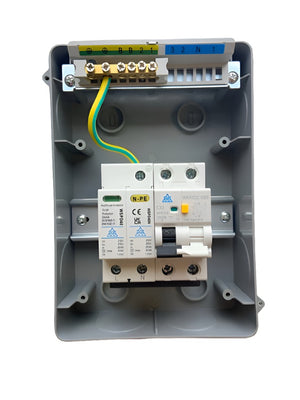
The available WCED configurations differ. A board with two outgoing circuits is not automatically suitable for a system requiring a separate immersion-heater supply. Compare the actual component list and the selected variant.
Does every heat pump need the same Type B RCD?
No. Obtain the specific equipment’s residual-current requirements. Inverter-driven equipment can create residual-current characteristics that affect RCD selection, including frequency response. Do not infer the required RCD from “air source heat pump” alone.
A high-frequency Type B option is a particular specification, not a universal upgrade for every heat pump. Ask for the model datasheet and compare it with the equipment manufacturer’s requirements. Type B RCD and B-curve MCB describe different functions.
What do the board components do?
| Component | Purpose |
|---|---|
| Main switch | Incoming isolation for the assembly. |
| MCB | Overload and short-circuit protection for its specified circuit. |
| RCD / RCBO | Residual-current protection; an RCBO also includes overcurrent protection. |
| SPD | Limits transient overvoltage. |
| Enclosure | Houses the assembly and provides its specified environmental protection. |
A fitted board reduces component sourcing, but still needs correct installation, verification and commissioning. It does not make every connected heat pump compatible.
Compare the listed WCED configurations
The standard heat pump unit offers three outgoing-device configurations. The high-frequency unit offers 16A and 25A selections and describes separate control and immersion supplies. Open the variant links below and confirm the complete component schedule before ordering.
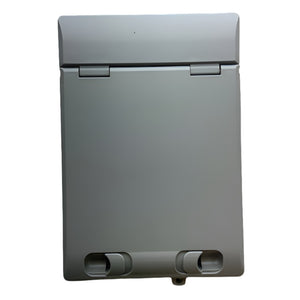
Check mounting location as well as electrical ratings. An indoor enclosure must not be assumed suitable beside an outdoor heat-pump unit. Obtain dimensions, entry positions and the enclosure rating for the exact assembly.
Send this information with a product enquiry
- Heat pump make, model and installation manual.
- Single-phase or three-phase supply.
- Maximum input current and specified protective devices.
- RCD type and any frequency-response requirement.
- Control, immersion and backup-heater circuit requirements.
- Proposed board location and available mounting space.
If an EV charger or other major load shares the property, ask the designer to check total demand and supply capacity. A larger board does not increase the supply.
WCED models and exact product options
Choose a configuration below to open that option on the product page. Check the selected specification, current price and availability before adding it to your basket.
Heat Pump Protection Consumer Unit – Type B RCD + Surge + 2‑Pole MCB
Heat Pump Protection Consumer Unit 20khz Type B
Common buying questions
Can I choose the breaker from the heat pump’s heating output?
No. Thermal output and electrical input are different quantities. Use the electrical data and installation instructions.
Is a Type B RCD the same as a B16 breaker?
No. Type B describes residual-current detection. B16 identifies a B-curve 16A overcurrent device.
Will a new board fix a tripping heat pump?
Not necessarily. Repeated tripping needs diagnosis. Replacing protection without identifying the cause may leave the fault unresolved.
Can the consumer unit go outdoors?
Only if the exact enclosure and installation arrangement are suitable for that location. Check the model rating rather than the location of the heat pump itself.
Need help finding the listed part?
Send EcoHarmony the equipment model, existing board model and the specification provided by your electrician. We can help identify the matching listed product and obtain further product information. Your installer must confirm suitability for the installation.
Related guides
Manufacturer information and further reading
This is a product-selection guide, not installation instructions. Use the exact model’s current manufacturer instructions and the applicable installation requirements for final selection.
-
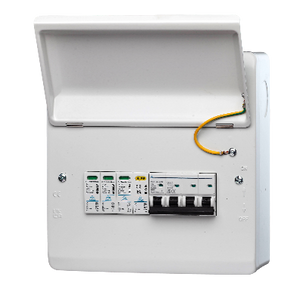
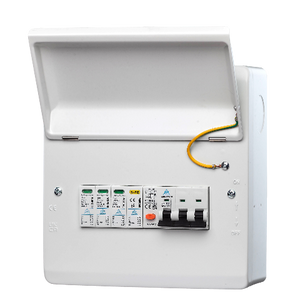
WCED Indoor 3-Phase Consumer Unit — RCBO or MCB + Surge Protection
Regular price From £65.00Regular price -


3-Phase PME PEN Fault Protection – 40A RCBO + Surge | Single EV Charger | BS7671 Compliant
Regular price From £65.00Regular price -
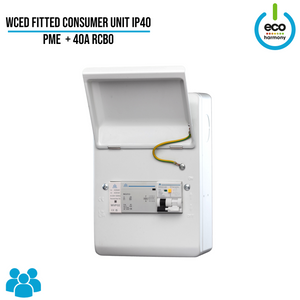
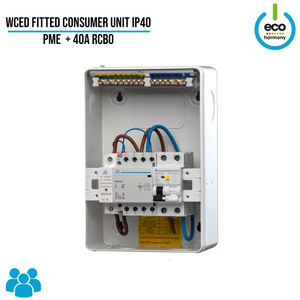
Fitted Consumer Unit IP40 – PME + 40A RCBO (Surge Protection + kWh Meter + Load Balancing Options Available)
Regular price From £80.00Regular price -
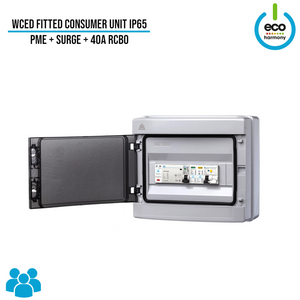
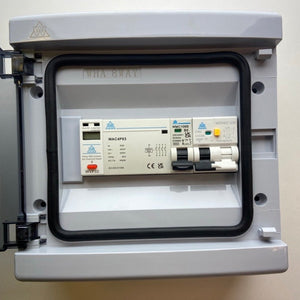
WCED PEN Fault Protection Unit — IP65, Optional Surge Protection
Regular price From £77.50Regular price -
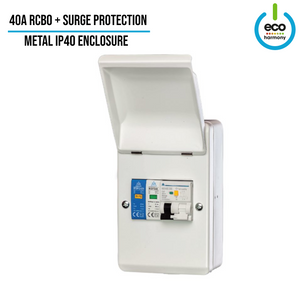
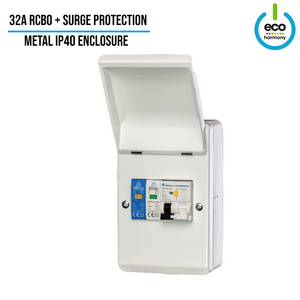
WCED IP40 EV Charger Consumer Unit – 32A or 40A C-Curve RCBO + Type 2 SPD
Regular price £32.50Regular price -
IP65 Consumer Unit with RCBO + Type 2 Surge Protection
Regular price £29.50Regular price


