
Modular Contactors Explained — What They Do and When to Use Them
Modular Contactors Explained
A contactor is an electrically operated switch. It carries load current on command from a control signal, which makes it the part that actually connects and disconnects a charger or load.
Quick answer
A modular contactor switches a load on and off from a low-power control signal on its coil. It is not a protective device: it does not protect against overload, short circuit or earth faults, so it is always used alongside MCBs, RCBOs or RCDs.
Modular contactors and switching options: features and options
A contactor uses a control coil to open or close power contacts. It switches a load; it does not replace an MCB, RCBO or isolator required by the circuit design.
Read all the selection fields together
Pole count determines how many conductors can be switched. Normally open contacts close when energised; normally closed contacts open. A changeover contact transfers between paths. Coil voltage is the control supply, not the load voltage: confirm both voltage and AC/DC coil type before ordering.
Rated current depends on the utilisation category and load. A contactor suitable for a resistive load at a stated current may have a different rating for motors or other high-inrush equipment. Check continuous duty, switching duty and ambient conditions against the model datasheet.
Choose your exact variant
Expand a product to compare its available configurations. Each link opens that exact option; current price and availability are shown on the product page.
Modular Contactors – AC & 24V Control (2P & 4P, NO / NC / CO) — 28 options
- Number of Poles: 2; Coil Type: NO AC (240V); Current Rating: 20A
- Number of Poles: 2; Coil Type: NO AC (240V); Current Rating: 25A
- Number of Poles: 2; Coil Type: NO AC (240V); Current Rating: 32A
- Number of Poles: 2; Coil Type: NO AC (240V); Current Rating: 40A
- Number of Poles: 2; Coil Type: NO AC (240V); Current Rating: 63A
- Number of Poles: 2; Coil Type: NO AC (240V); Current Rating: 100A
- Number of Poles: 2; Coil Type: NO AC (240V); Current Rating: 125A
- Number of Poles: 2; Coil Type: NO DC (24V); Current Rating: 20A
- Number of Poles: 2; Coil Type: Changer Over; Current Rating: 20A
- Number of Poles: 2; Coil Type: NC DC (24V); Current Rating: 20A
- Number of Poles: 4; Coil Type: NO AC (240V); Current Rating: 20A
- Number of Poles: 4; Coil Type: NO AC (240V); Current Rating: 25A
- Number of Poles: 4; Coil Type: NO AC (240V); Current Rating: 32A
- Number of Poles: 4; Coil Type: NO AC (240V); Current Rating: 40A
- Number of Poles: 4; Coil Type: NO AC (240V); Current Rating: 100A
- Number of Poles: 4; Coil Type: NO AC (240V); Current Rating: 125A
- Number of Poles: 4; Coil Type: NO DC (24V); Current Rating: 25A
- Number of Poles: 4; Coil Type: NO DC (24V); Current Rating: 40A
- Number of Poles: 4; Coil Type: NO DC (24V); Current Rating: 63A
- Number of Poles: 4; Coil Type: Changer Over; Current Rating: 25A
- Number of Poles: 4; Coil Type: NC AC (240V); Current Rating: 25A
- Number of Poles: 4; Coil Type: NC AC (240V); Current Rating: 32A
- Number of Poles: 4; Coil Type: NC AC (240V); Current Rating: 40A
- Number of Poles: 4; Coil Type: NC AC (240V); Current Rating: 63A
- Number of Poles: 4; Coil Type: NC DC (24V); Current Rating: 25A
- Number of Poles: 4; Coil Type: NC DC (24V); Current Rating: 40A
- Number of Poles: 4; Coil Type: NC DC (24V); Current Rating: 63A
- Number of Poles: 2 (1 module); Coil Type: NO AC (240V); Current Rating: 32A
WCED orders are normally dispatched the same day for next-day delivery. Availability and checkout delivery options apply; contact us for a time-critical installation.
How it works
A control signal energises the coil, which closes the contacts and connects the load. Remove the signal and the contacts open. That lets a small controller, timer or protection relay switch a large load safely.
Where contactors are used
- EV charging: switching the supply to the charger on and off under controller or protection-device command
- PEN fault and PME protection units, which disconnect the charger by opening a contactor when a fault is detected
- Time-switched or tariff-controlled loads
- Load shedding and load management
Choosing one
| Check | Why |
|---|---|
| Pole count | 4-pole for three-phase loads, 2-pole for single-phase |
| Current rating | Must exceed the load current, for example 63A or 100A |
| Utilisation category | Match the type of load switched, as stated on the datasheet |
| Coil voltage | Must match the control supply |
| AC or DC | DC circuits need DC-rated contactors |
WCED modular contactors are certified to BS EN IEC 60947-4-1. Always protect the circuit with a suitable MCB or RCBO as well.
Frequently asked questions
Is a contactor the same as an MCB?
No. An MCB protects against overload and short circuit. A contactor only switches. You normally need both.
Can a contactor replace an isolator?
Not on its own. An isolator provides a visible or verified isolation point, whereas a contactor is a controlled switch, so follow the regulations for isolation.
Why do EV protection units contain a contactor?
So the unit can disconnect the charger automatically when it detects a fault, such as a PEN fault.
Related guides
Not sure what your install needs?
Use the Product Finder →-
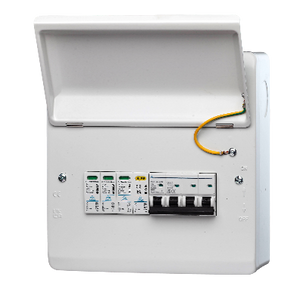
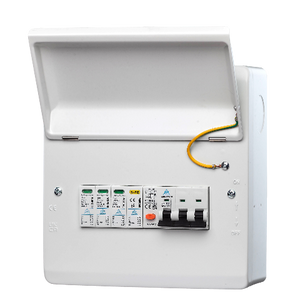
WCED Indoor 3-Phase Consumer Unit — RCBO or MCB + Surge Protection
Regular price From £65.00Regular price -


3-Phase PME PEN Fault Protection – 40A RCBO + Surge | Single EV Charger | BS7671 Compliant
Regular price From £65.00Regular price -
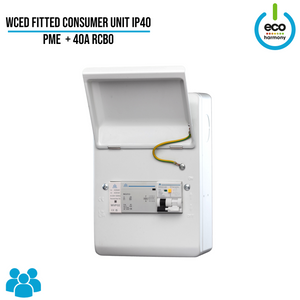
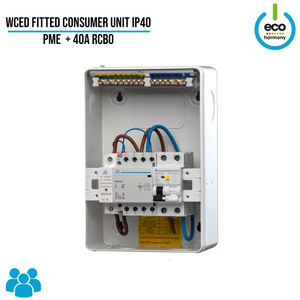
Fitted Consumer Unit IP40 – PME + 40A RCBO (Surge Protection + kWh Meter + Load Balancing Options Available)
Regular price From £80.00Regular price -
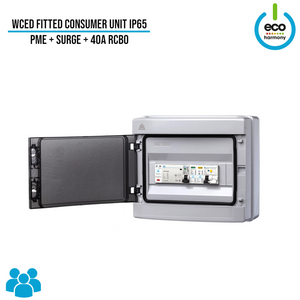
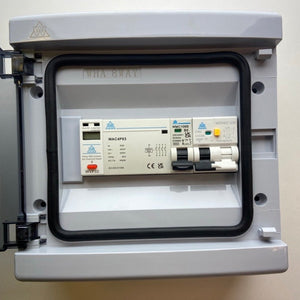
WCED PEN Fault Protection Unit — IP65, Optional Surge Protection
Regular price From £77.50Regular price -
Save £2.50
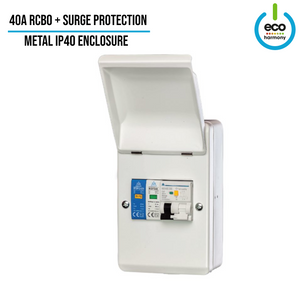
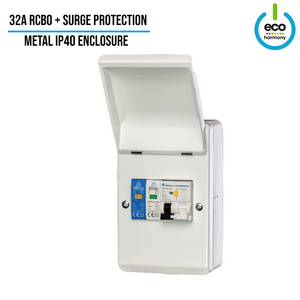
RCBO + Surge Protection Fitted Consumer Unit (IP30 / Indoor Use)
Regular price £32.50Regular price£35.00-£2.50 Sale price £32.50 -
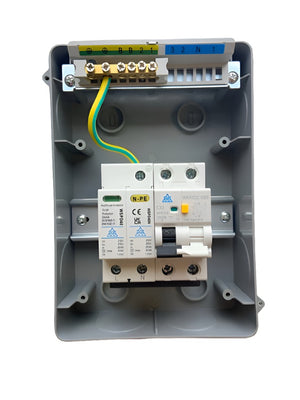
IP65 Consumer Unit with RCBO + Type 2 Surge Protection
Regular price £29.50Regular price


