
How to Install a Surge Protection Device — UK Installer Guide
How to Install a Surge Protection Device
An SPD is only as good as its installation. Short, direct connections are what let the device clamp a surge before it reaches your equipment, so how you wire it matters as much as the rating on the label.
Quick answer
Keep the SPD connection leads as short and direct as possible: ideally under 0.5m in total, never more than 1m. Long or looped cables add inductance and cut the protection the device can give.
The golden rule: keep connection cables short
A surge is a fast, high-frequency transient, and every metre of connecting cable adds inductance, roughly 1µH per metre. That extra inductance lets more voltage through to the equipment while the SPD is still clamping. A high-rated 40kA device fitted with long leads can protect worse than a lower-rated one fitted properly.
Measure the total run from the SPD live connection to the busbar, plus the run from the SPD earth terminal to the main earth bar. Aim for under 0.5m combined, and never exceed 1m.
This is why SPDs fitted inside the consumer unit, connected straight to the busbar and earth bar, outperform remote devices on longer runs. The WCED WSPDT2-CB comes with a pre-fitted cable set sized for a standard consumer unit, which makes the right length easy to achieve.
Step-by-step: Type 2 SPD in a consumer unit
- Isolate the consumer unit. Switch off the main switch and prove dead. Competent person only; notify the work where it is notifiable.
- Choose the SPD position on the DIN rail. Ideally next to, or close to, the main switch.
- Connect the SPD live terminal to the busbar or main switch output. Keep the cable under 0.5m. Use the pre-fitted cable if one is supplied.
- Connect the SPD neutral terminal to the neutral bar. A 2-pole SPD needs live and neutral. A 4-pole SPD also needs the L2 and L3 connections.
- Connect the SPD earth terminal directly to the main earth bar. Make it a direct connection. Avoid sharing it with other earth conductors.
- Fit an overcurrent protective device (OCPD) on the supply side of the SPD. Typically a 63A fuse or MCB. Check the manufacturer’s datasheet.
- Check the status indicator is green before restoring supply. Red, or no indicator, means the SPD element has failed.
- Restore supply, test, and record the SPD on the installation certificate. Note it on the EIC or EICR.
Earthing arrangements
Connect the SPD earth to the main protective earth bar, not to a circuit earth terminal or CPC. On a TN-C-S (PME) supply, that is the main earth bar bonded to the main earthing terminal. On a TT system, it is the earth bar connected to the installation’s earth electrode.
This earth lead is the most critical connection in the whole installation, so keep it as short and direct as you can.
Common installation mistakes
- Long, looping cable runs to the SPD
- Sharing the earth connection with circuit CPCs
- Fitting the SPD without an upstream OCPD
- Not checking the status indicator after installation
- Using an AC SPD on a DC circuit
- Connecting downstream of the main switch only, with no upstream protection
Frequently asked questions
Does an SPD need its own MCB?
Yes. A dedicated overcurrent protective device should sit on the supply side of the SPD. It protects the SPD supply cable if the SPD fails, and most manufacturers specify it. A 63A MCB or fuse is typical. Some SPDs include a built-in disconnector or fuse, so check the datasheet.
What does the SPD status indicator show?
Most modern SPDs have a green/red window. Green means the protective element (typically a metal oxide varistor) is intact. Red means a surge has used it up and the device no longer protects, so it needs replacing. Some models also have a remote signal contact for building management systems.
Where should the SPD appear on the installation certificate?
Record the presence and location of any SPD on the Electrical Installation Certificate or Minor Works Certificate as appropriate. Also document the surge protection risk assessment: either that an SPD was fitted, or why one was not needed.
Related guides
Not sure what your install needs?
Use the Product Finder →-
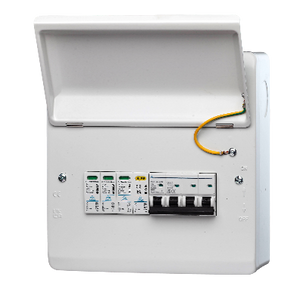
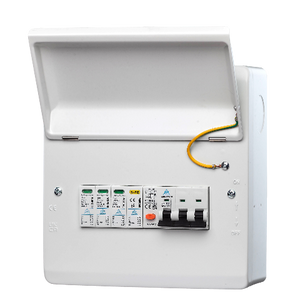
RCBO + Surge Protection – Fitted Consumer Unit IP40 – 3 Phase
Regular price From £65.00Regular price -


3-Phase PME PEN Fault Protection – 40A RCBO + Surge | Single EV Charger | BS7671 Compliant
Regular price From £65.00Regular price -
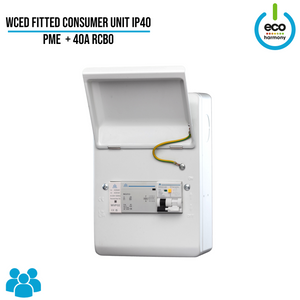
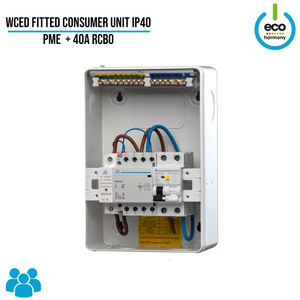
Fitted Consumer Unit IP40 – PME + 40A RCBO (Surge Protection + kWh Meter + Load Balancing Options Available)
Regular price From £80.00Regular price -
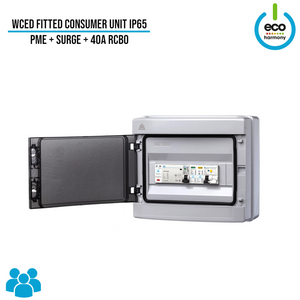
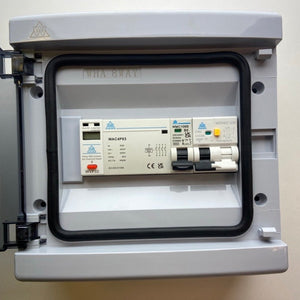
PEN Fault Detection + Surge Protection Device
Regular price From £77.50Regular price -
Save £2.50
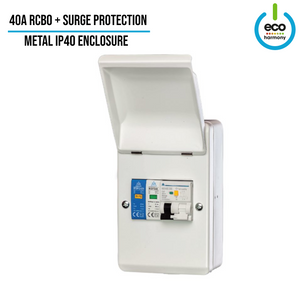
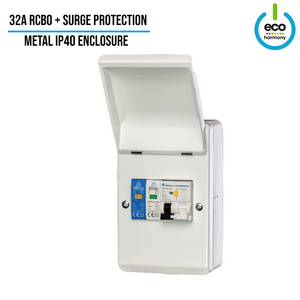
RCBO + Surge Protection Fitted Consumer Unit (IP30 / Indoor Use)
Regular price £32.50Regular price£35.00-£2.50 Sale price £32.50 -
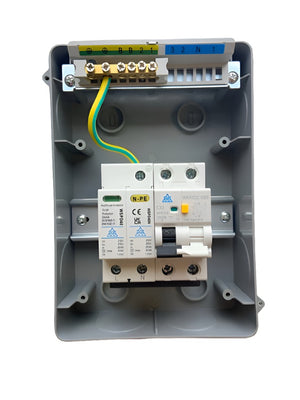
IP65 Consumer Unit with RCBO + Type 2 Surge Protection
Regular price £33.50Regular price£26.00Sale price £33.50


-


Simpson & Partners Cable Hook – Keep Your Charger Tidy & Stylish
Regular price £60.00Regular price -
Save £30.00


Home Series 7kW EV Charger – Type 2 Socket
Regular price From £550.00Regular price£580.00-£30.00 Sale price From £550.00 -


Home Series 7 kW Home EV Charger, Type 2 Tethered
Regular price From £620.00Regular price -


Free Colour Sample Card – Simpson & Partners EV Chargers
Regular price £0.00Regular price -
Sold out


Simpson & Partners Wireless Energy Manager – Smarter, Safer Charging
Regular price From £95.00Regular price


